The Full Stats Report
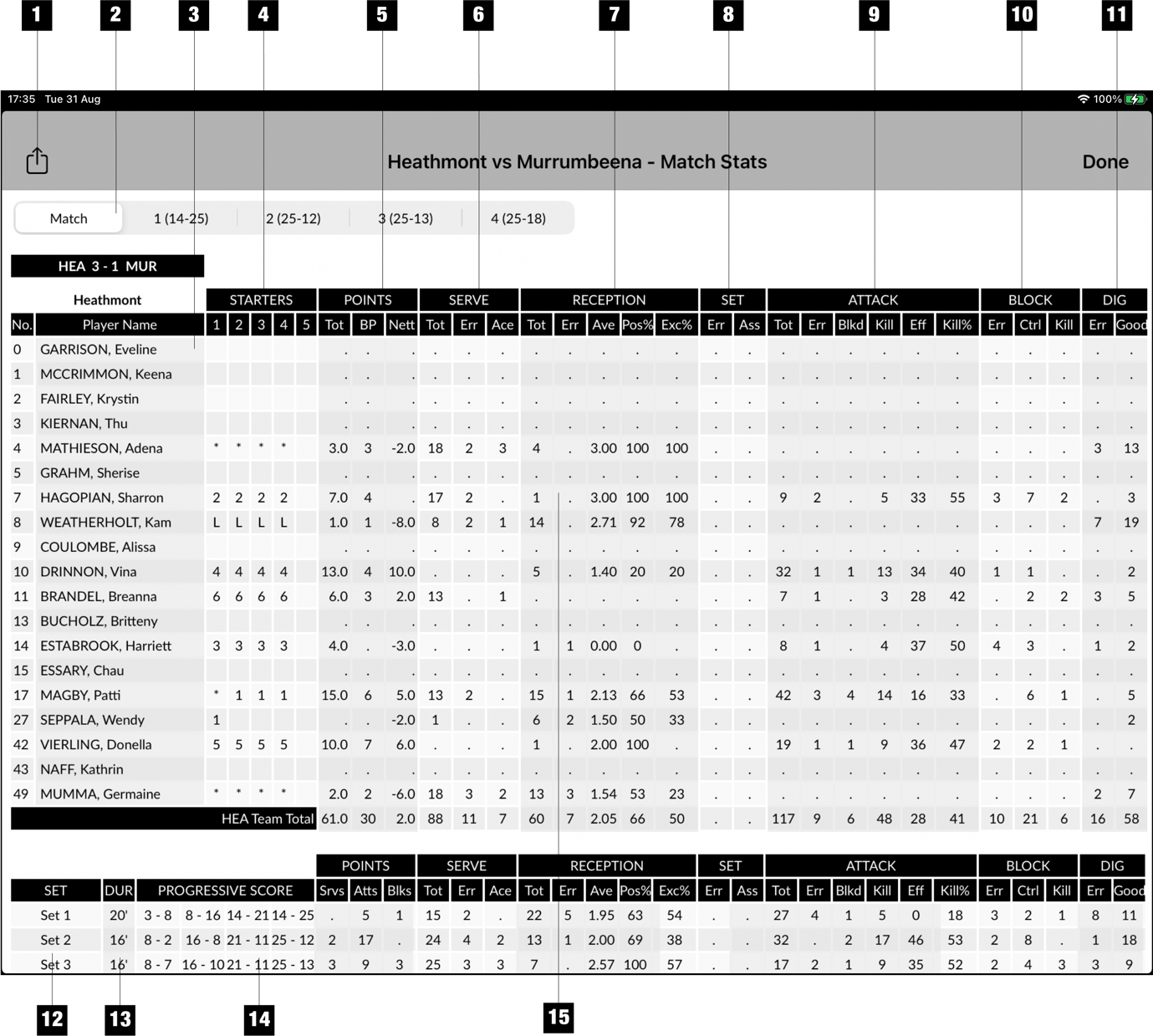
- Share the report
- Select match stats or individual set stats
- Team A stats
- Starters for each set
- Points scored - Tot: Total points, BP: Break points (points won on serve), Nett: Points won less errors
- Serve stats - Tot: Total number of serves, Err: Serve errors, Ace: Serve ace
- Serve receive stats - Tot: Total number of serve receives, Err: Number of errors, Ave: Average over 3, Pos%: Percent of positive passes, Exc%: Percent of excellent passes
- Setting stats - Err: Set errors, Ass: Set assists
- Attack stats: Tot: Number of attempts, Err: number of errors, Blkd: number of spikes blocked, Kill: number of kills, Eff: Efficiency (K - E / TA), Kill%: Percent of kills
- Block stats: Err: Block errors, Ctrl: Number of controlled blocks, Kill: Block kills
- Defence Stats: Err: Dig errors, Good: Number of good digs
- Set stats
- Set duration
- Scores at 8, 16, 21 and final
- Tap on a player row to view stats for individual player on Player Stats Screen
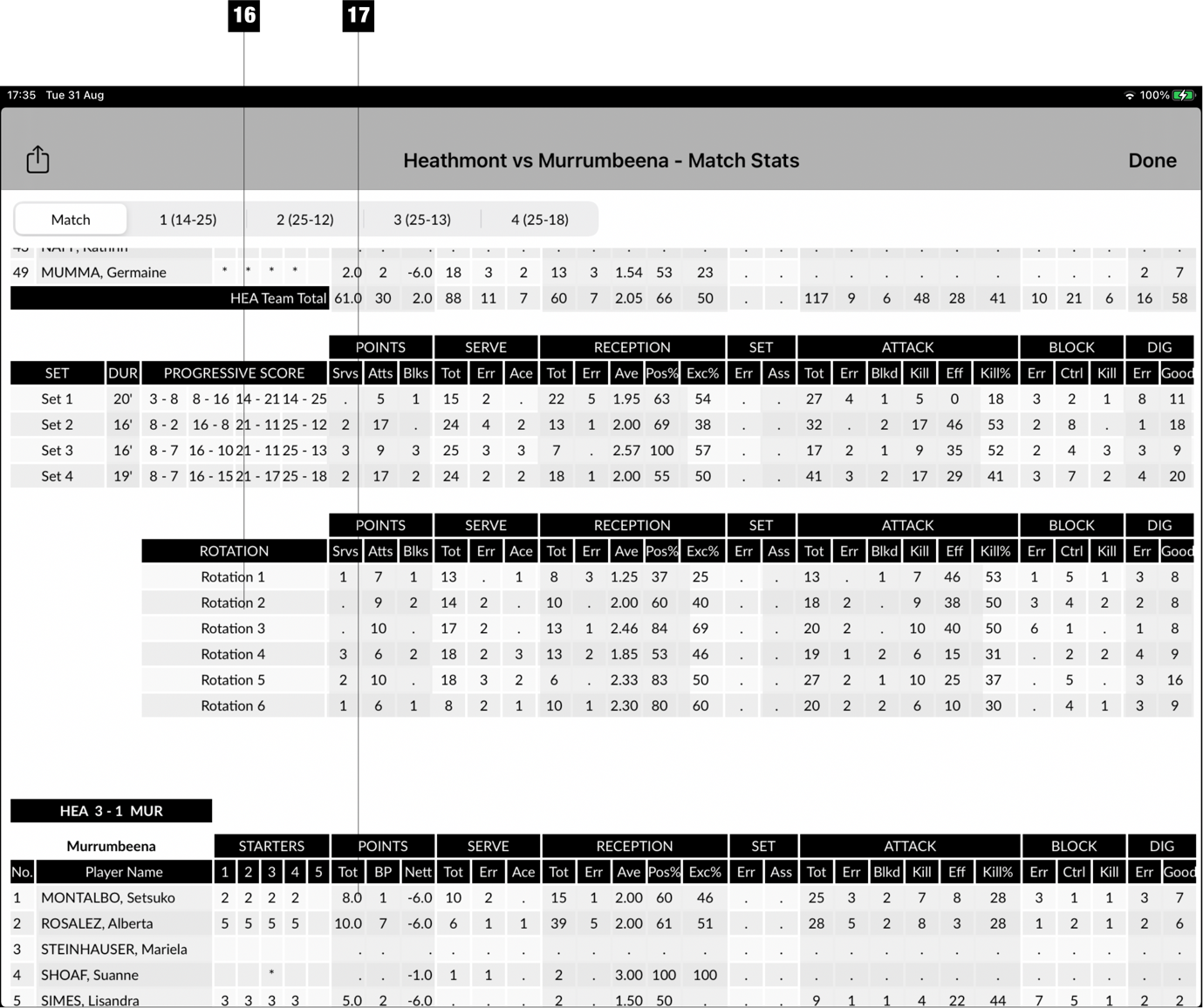
- Rotation stats
- Team B stats
Player Stats Screen
Tap a player row on the Full Stats Report to access player stats on this screen
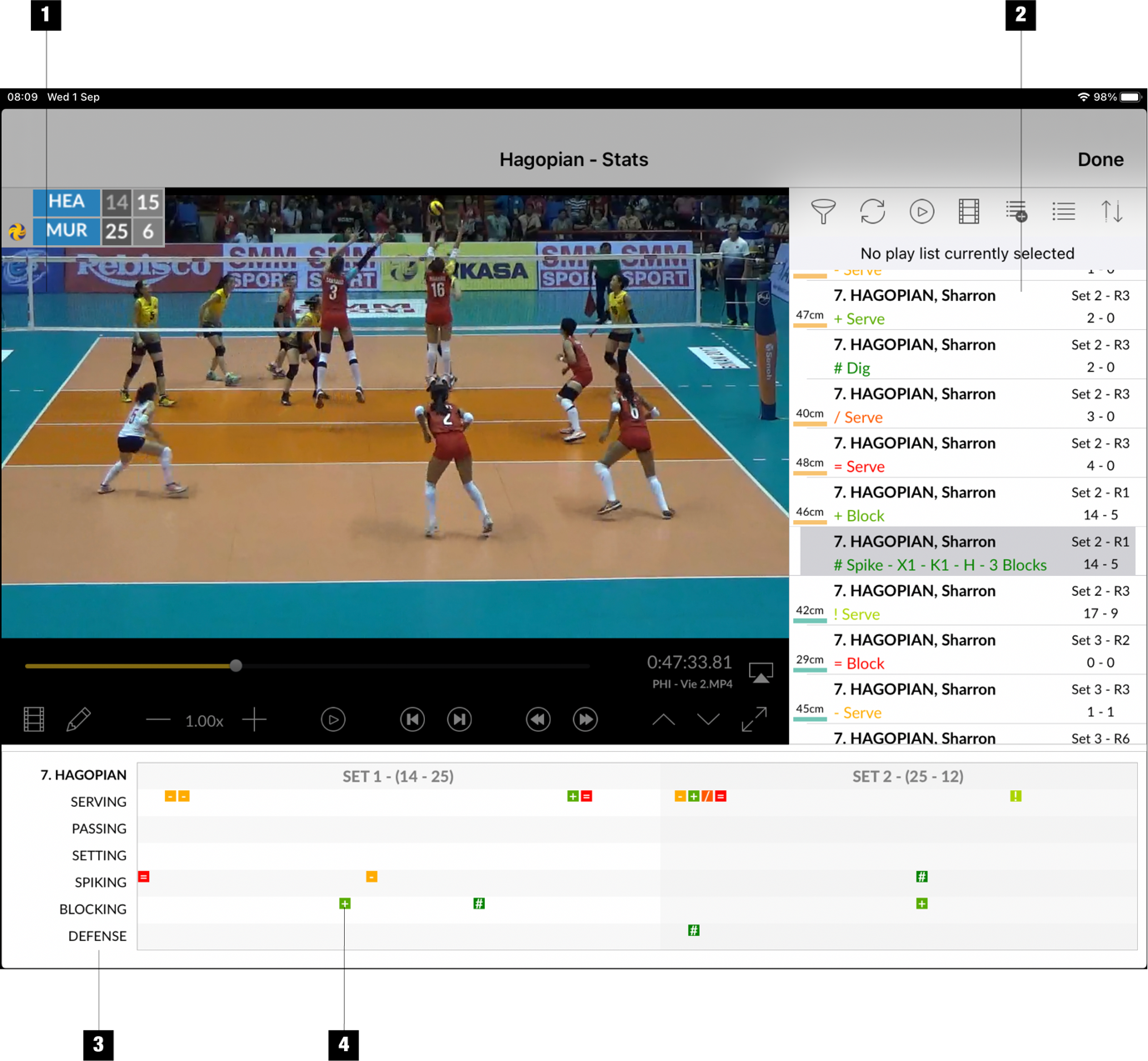
- Video player
- Event List showing all the player’s activities during the match
- Player’s activities shown on the time-line
- Tap on an activity to show the action on video